
Presentations that teach, not just display
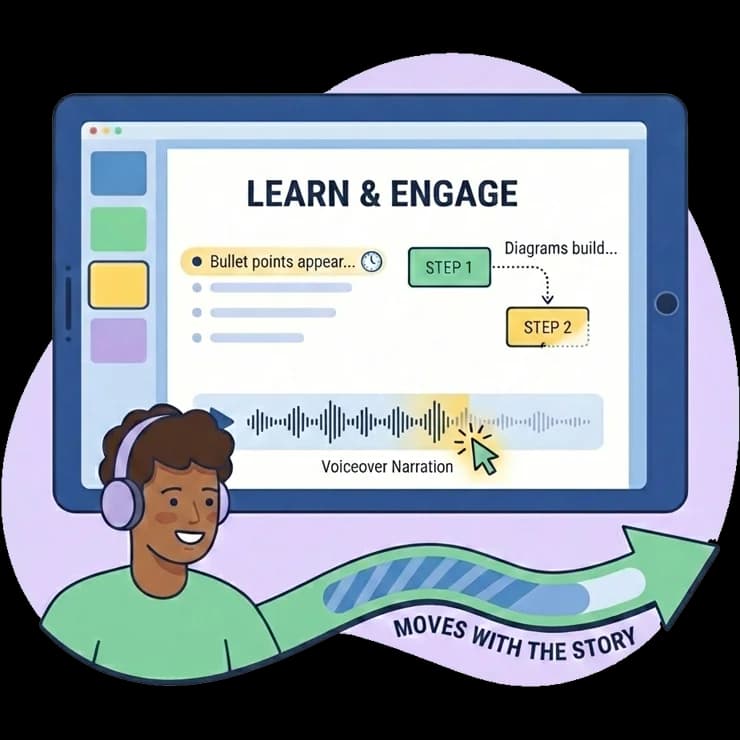
Every lesson gets an interactive slide deck with animated content reveals timed to voiceover narration. Bullet points appear as the narrator speaks. Diagrams build step-by-step. Learners stay engaged because the presentation moves with the story.
Why static slides fail learners
Wall-of-Text Syndrome
Traditional slides dump all information at once. Learners read ahead, tune out the narration, and retain almost nothing from the presentation.
Zero Interactivity
PowerPoint exports are passive. Learners click "next" and stare. There's no engagement signal, no pacing control, and no indication of what's important.
Expensive to Produce
Creating polished, branded presentations requires graphic designers. Most L&D teams settle for ugly slides because they can't afford design resources for every course.
No Audio Synchronization
Adding voiceover to slides means manually timing each transition. One change to the script means re-timing the entire deck — a tedious, error-prone process.
Step by Step
How interactive presentations work
AI Generates Slides from Lesson Content
When you generate a course, ELIL automatically creates a presentation for each lesson. Slide types are chosen based on content: titles, bullets, tables, diagrams, and code blocks.
Voiceover Syncs Automatically
Generate AI voiceover for the lesson and ELIL times content reveals to the narration. Bullet points appear exactly when the narrator mentions them.
Customize in the Slide Editor
Use the visual slide customizer to reorder slides, change types, edit text, adjust colors, and add your brand logo.
Learners Experience It Live
The presentation plays in-browser with animated reveals, auto-scrolling, and playback controls. No downloads, no plugins.
Capabilities
Built for every type of training content
Multiple Slide Types
Title slides, text, bullet points, tables, Mermaid diagrams, code blocks with syntax highlighting — the right format for every concept.
Voiceover-Synced Reveals
Content elements animate in time with the AI narrator. Learners see information exactly when it's being discussed — not before, not after.
Mermaid Diagram Rendering
Flowcharts, process diagrams, sequence diagrams, and org charts render natively from Mermaid syntax. Perfect for visualizing procedures and workflows.
Brand-Customizable Themes
Apply your organization's colors, logo, and fonts to every presentation. Consistent branding across all training content without design work.
Auto-Scroll Navigation
The presentation automatically scrolls to follow narration progress. Learners can also navigate manually with slide controls or keyboard shortcuts.
Background Music Options
Add ambient background music to complement the voiceover. Choose from curated tracks that enhance focus without distracting from the content.
Who uses interactive presentations
Training Facilitators
Replace static PowerPoint decks with presentations that pace themselves. The voiceover-synced format works for self-paced learning and live training sessions.
Technical Trainers
Use code block slides and Mermaid diagrams to teach technical concepts. Syntax highlighting and step-by-step diagram builds make complex topics accessible.
Course Creators
Produce professional presentations for every lesson without hiring a designer. The AI handles slide creation, and you customize the result.
Remote Teams
Self-paced presentations with voiceover let distributed teams learn at their own pace. No scheduling conflicts, no timezone issues, no live facilitator needed.
Interactive presentations vs. traditional slides
| Traditional Approach | With ELIL | |
|---|---|---|
| Content reveals | Everything visible at once | Animated, timed to narration |
| Voiceover sync | Manual timing (hours of work) | Automatic — AI handles it |
| Diagram support | Static images only | Live Mermaid rendering |
| Branding | Per-deck manual styling | One-click theme across all decks |
| Delivery format | File download (PPTX) | In-browser, no downloads |
| Creation time per lesson | 2-4 hours | Auto-generated in seconds |
Frequently asked questions
Do presentations work on mobile devices?
Can I edit individual slides after generation?
What kind of diagrams are supported?
Can I use presentations without voiceover?
How do I apply my company branding?
Explore related features
See how other ELIL capabilities work alongside Interactive Presentations.
AI Course Generation
Upload PDFs, Word docs, or URLs and let AI generate complete training courses with lessons, quizzes, and voiceover — in minutes instead of weeks.
Learn moreAI Video & Voiceover
Generate training videos with 30+ AI voices, synchronized slides, and background music. Professional-quality video content in minutes, not weeks.
Learn moreReady to build your first course in minutes?
See how AI turns your documents, SOPs, and expertise into complete training programs — in a personalized demo built around your own content.
Built around your content · Runs on your server · Your content stays yours